MiniMax H3 Just Launched: AI Video Finally Gets Its "King of Post-Production"
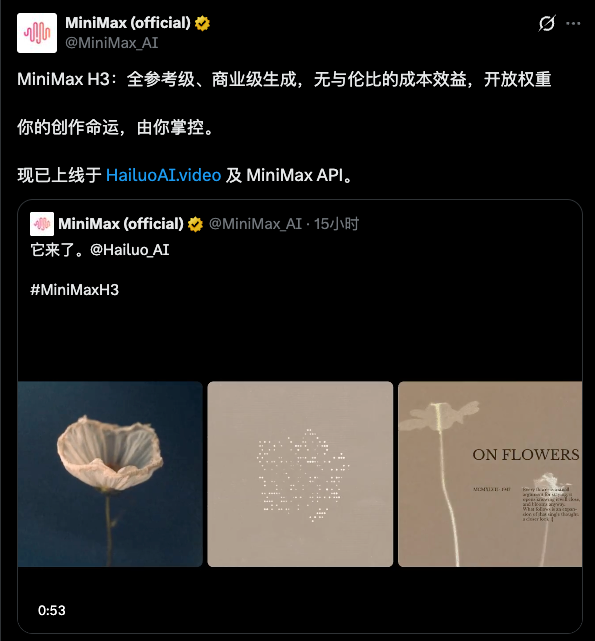
MiniMax H3 has officially launched on Hailuo Video, focusing heavily on visual packaging and post-production motion effects—stylized subtitles, logo reveals, e-commerce promos, and event teasers can all be generated in one go. This article breaks down H3's capabilities, six key application scenarios, and a reusable prompt formula.
MiniMax H3 Just Launched: AI Video Finally Gets Its "King of Post-Production"
Past AI video models felt more like virtual cameras. What MiniMax H3 aims to provide is the entire post-production visual packaging workflow that follows shooting.
Today, after a quiet period, the AI video model track finally has fresh news.
MiniMax H3 has officially launched on Hailuo Video. The official website states its core positioning clearly: native multimodal understanding and generation, precise editing and control, and commercial-grade multi-scenario content creation.
I reviewed the official website, original screenshots, and hands-on test results side by side. H3 isn't simply competing on image quality again; instead, it focuses heavily on a very commercial, high-productivity direction: visual packaging and post-production motion effects.
Why is this angle noteworthy? Because content that clients actually pay for every day rarely consists of dragons, explosions, or extreme camera movement—it's brand ads, e-commerce assets, product introductions, event previews, App demos, game PVs, and corporate promos.
Shooting these clips is only the beginning. Subtitles, decorative text, intros, transitions, graphic elements, UI, logo reveals, and pacing design are where real post-production time is spent.
01 What Exactly is New in H3?
First, let's look at the details directly confirmed via the official site and product interface.
ItemCurrent Public InformationModelMiniMax H3Access PointHailuo Video Web TerminalPositioningNative multimodal understanding & generation, precise editing & controlReference InputImages, videos, audio, etc., supporting up to 12 references in totalOutput Resolution2K currently available in interfaceDurationScreenshots show 4–15s options; actual selection subject to live interfacePricing Copy2K as low as ¥0.53/sec; actual deduction subject to creation page
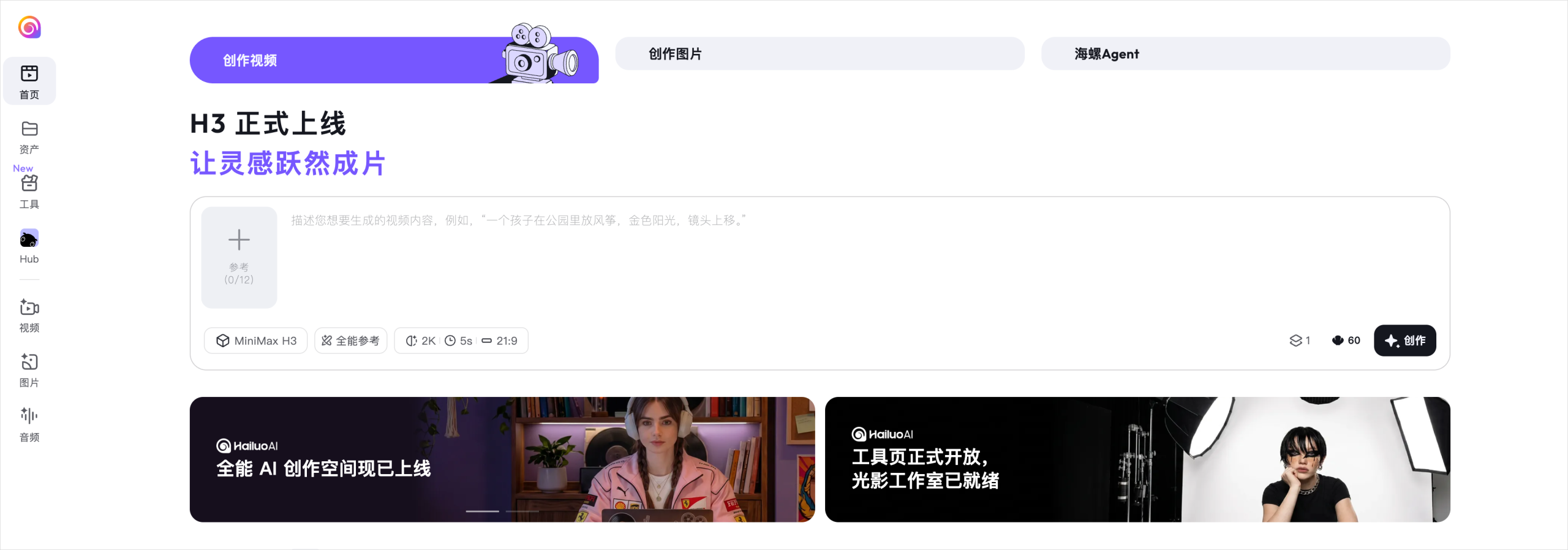
The biggest change is that H3 brings image, video, and audio into a unified reference framework.
You can set a starting frame image, a motion reference video, and background music audio. The UI shows support for up to 12 reference assets, allowing character, scene, movement, sound, and style to be combined and controlled within a single task.

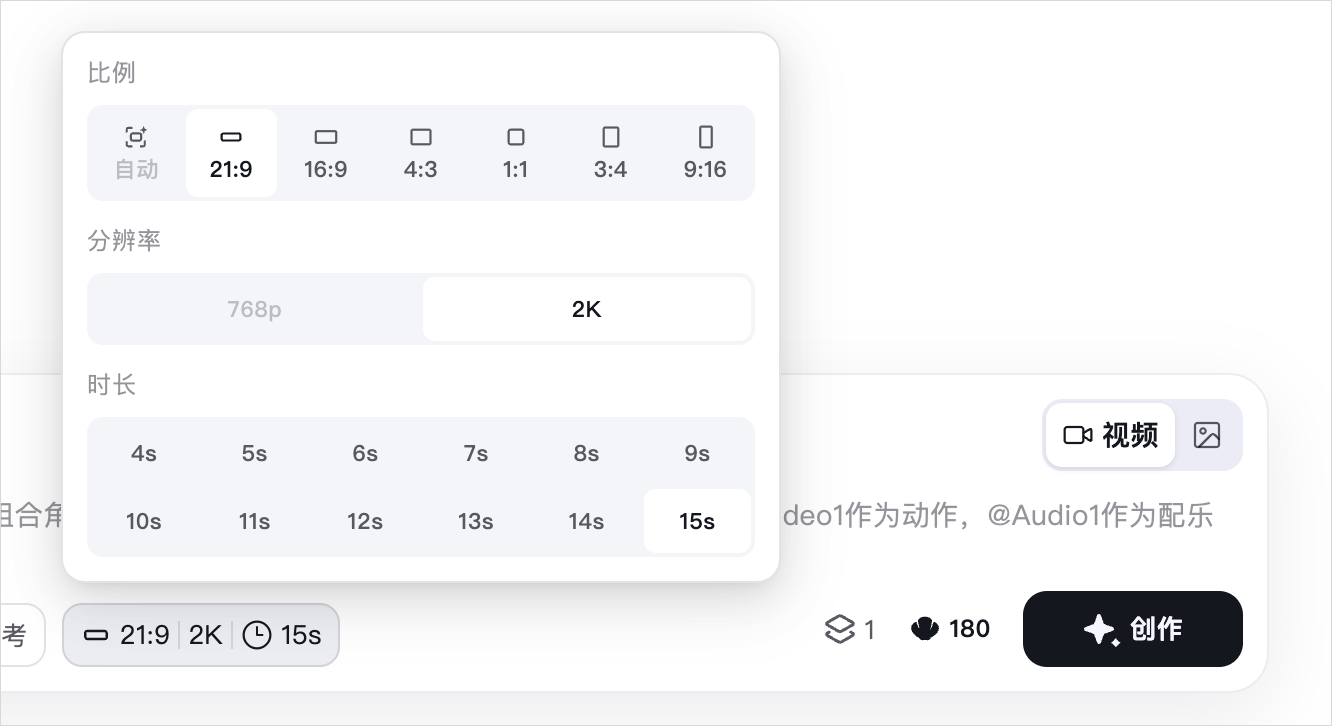
Resolution and duration are also tuned for actual delivery. In screenshots, 2K mode supports 4–15 seconds, with flexible aspect ratio settings (landscape/portrait).
02 The Core Advantage: Visual Packaging
The author's early evaluation conclusion is clear: H3 does not outpace Seedance 2.0 across every single metric, but it establishes a strong advantage in advertising motion effects, text control, and post-production packaging.
They can be viewed as two distinct production roles:
Production StageStrengths & Target ProblemsPre-production & Cinematic FootageWorld generation, camera movements, action, and shot tensionPost-packaging & Commercial FXSubtitles, decorative fonts, UI, logos, transitions, and brand consistency
The most interesting aspect of H3 is its ability to directly generate a dynamic MV with synced lyrics, or animate flat posters, typography, text, and visual assets all together.
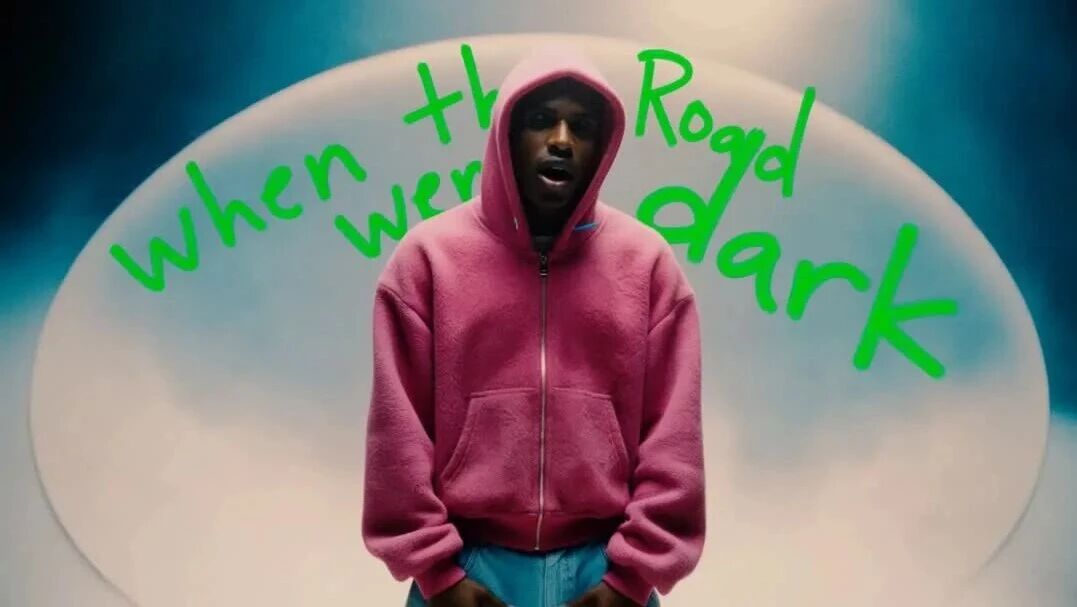
It can seamlessly integrate live-action performances, newspaper layouts, and pixelated aesthetic worlds into a single continuous shot. Initial tests show H3 has strong semantic adherence to prompts, bringing text and graphic elements into view precise to specified timestamps.
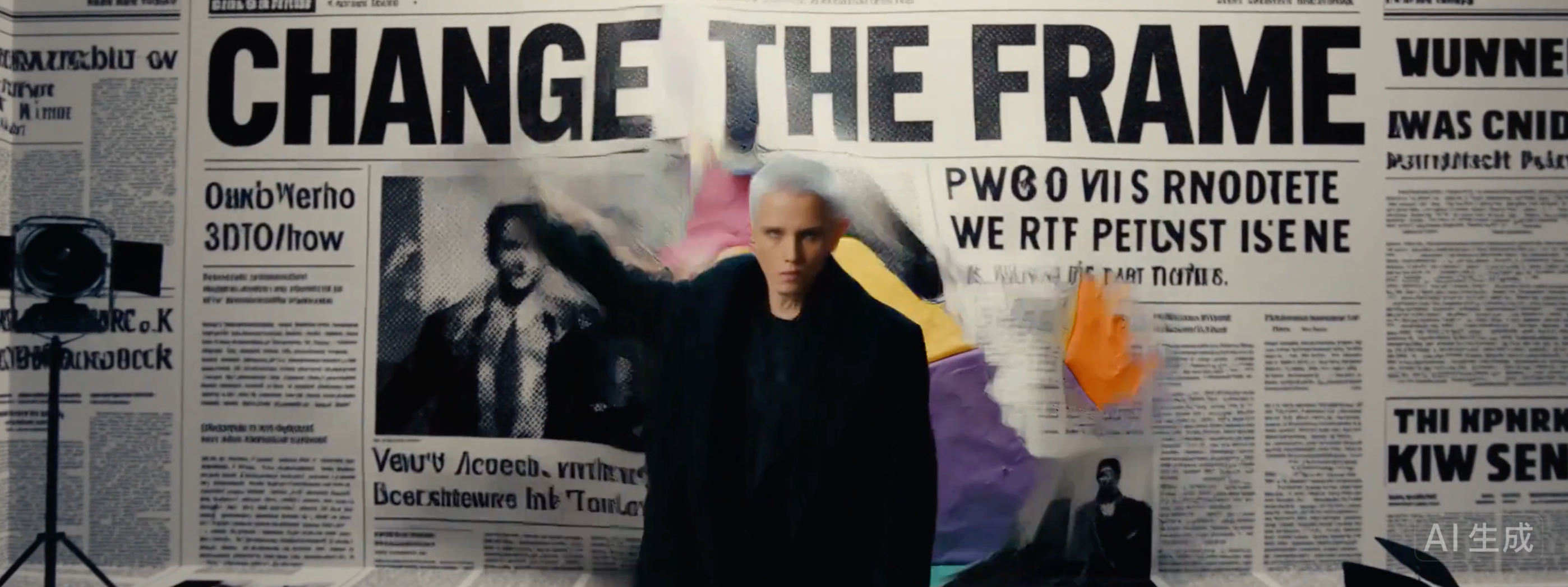
This capability goes beyond music videos. Game intro screens, variety show titles, product launches, video openers, and key visuals for design conferences all share a common core: reorganizing information using graphics, text, and motion.


03 Six Ready-to-Use Scenarios
1. Music Videos & Lyric Visualizers (VJ)
Incorporate lyrics, characters, camera movement, and style shifts into a single prompt, rendering text as an organic part of the visual sequence rather than a post-overlay.
2. Logo Reveals
Upload a logo and specify texture, camera movement, and brand atmosphere to generate opening titles, ending credits, or keynote animations.

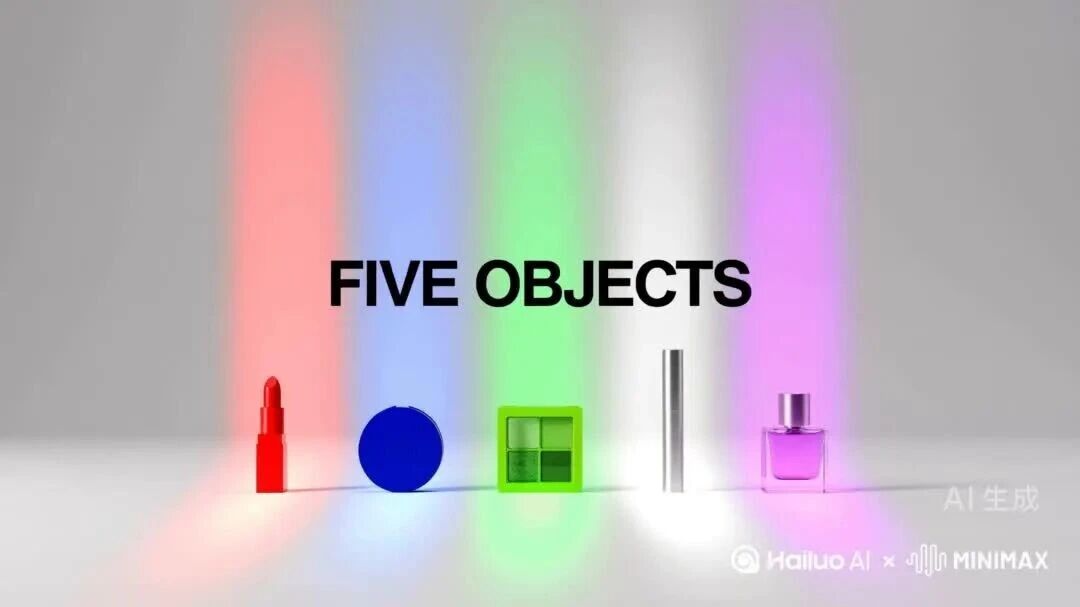
3. E-commerce New Product Promos
Provide product photos, packaging, lighting, and brand colors as references, letting H3 handle dynamic displays, subtitle overlays, and rhythm design.
4. Show Intros & Event Teasers
AI programs, livestream segments, and offline events demand frequent version updates. H3 simplifies this by orchestrating title text, layout paths, spatial backgrounds, and transitions in one pass.

5. Design Conference Main Stage Visuals
Synthesize main theme concepts, architectural space, vector motion, and typography simultaneously. Ideal for rapidly outputting concept teasers before designers perform brand-level refinement.

6. App Demos & Social Media Shorts
Product feature previews benefit immensely from multi-size, localized, and multi-version variations. Keep core assets untouched while adjusting prompts and dimensions to quickly produce platform-specific variations.
Execution tasks that once required setting keyframes, assembling assets, and applying transition templates manually will be further streamlined. The value of designers and post-production editors won't vanish; it moves upstream: defining creative direction, curating taste, assessing quality, and maintaining brand consistency.
As production capabilities democratize, judgment becomes the ultimate asset, doesn't it?
04 How to Get Started with H3?
H3 is a web-based tool requiring no local installation.
Step 1: Open Hailuo Video
Official Portal:
Navigate to the "Video" creation workspace, select MiniMax H3, and choose "All-round Reference" (全能参考).
Step 2: Upload Reference Assets
Add images, video clips, or audio based on project needs. You don't need to fill all 12 slots; the key is ensuring every asset serves a clear purpose—such as establishing start frames, characters, motion, scenes, or audio tracks.
Step 3: Write Your Prompt as a Timeline
The experimental MV prompt from the original test provides a great template. Rather than listing random aesthetic keywords, it specifies characters, camera rules, environment shifts, lyrics, audio cues, and explicit negative constraints:
15 seconds, 16:9 landscape aspect ratio, single continuous shot (one take). Generate a highly stylized, visually flashy experimental music video.
The protagonist is a gender-neutral singer with a silver buzzcut, wearing a solid black trench coat. The camera continuously rotates clockwise around the singer, who keeps singing directly to the camera with consistent facial features and lip sync. As the camera rotates, the same abandoned photo studio transitions across five distinct visual realms in sequence: realistic film stock, black-and-white newspaper, colorful claymation, transparent underwater world, and pixelated retro game. Each transformation is triggered by the protagonist's movements and lyrics; space remains continuous with no hard cuts.

Lyrics & Text: "CHANGE THE FRAME", "KEEP THE FACE", "EVERY WORLD IS MINE"

0 to 3s: Realistic film photo studio. The protagonist raises a hand and sings "CHANGE THE FRAME"; the swept area turns into black-and-white newspaper halftone dots, with text expanding from the wall like news headlines.
3 to 6s: Camera continues orbiting; the protagonist rips open the newspaper world, transforming space into colorful clay. The person retains real skin and human face, while surrounding props and floor turn into handcrafted clay. "KEEP THE FACE" curves into view behind the protagonist.
6 to 9s: Protagonist stomps feet; clay floor turns into transparent water surface. Camera and character submerge underwater together; hair, clothes, and bubbles follow real fluid dynamics; singing voice remains clear.
9 to 12s: Protagonist shatters water surface; water droplets turn into pixel blocks. Studio loads into a retro 3D game world while character remains realistic. "EVERY WORLD IS MINE" forms a massive game level portal.
12 to 15s: Camera completes a full 360-degree orbit. Visual layers peel away from space like multi-layered skin, returning to the original studio. Protagonist stands in place, catching a small cube containing all five textures.

Audio: Original experimental electronic music with continuous rhythm, featuring film, paper, clay, underwater, and 8-bit sound textures corresponding to each world.

Negative Constraints: No camera cuts, face-swapping, outfit changes, sudden jumps between worlds, extra text/lyrics, standard mask transitions, or distorted underwater lip movement.
This structure can be abstracted into a clear formula:
Total Duration & Aspect Ratio + Character & Scene + Camera Movement Rules + Timed Timeline + Text & Audio + Negative Constraints.
Step 4: Configure Aspect Ratio, 2K, and Duration
Test character and text fidelity using short clips first before generating full-length output. Enable 2K mode prior to final delivery to avoid consuming credits prematurely during concept iteration.
05 Pricing, Limitations, and Open-Source Details
Hailuo Video's homepage lists pricing as low as ¥0.53/sec for 2K. Based on this base rate, a 15-second generation costs approximately ¥7.95; actual costs vary depending on mode, active promotions, and live interface indicators, so check credit deductions next to the generate button before proceeding.
H3 currently has several limitations to keep in mind:
-
Small text fonts may still render errors; critical brand typography requires frame-by-frame verification.
-
Extreme cinematic camera tension may not match models specialized strictly in filmic aesthetics.
-
Using numerous reference assets requires clear role definitions for each element to avoid control signal interference.
-
Commercial deployment of AI video assets still requires verifying asset licensing, model releases/portrait rights, trademarks, and music copyright.
The original article noted plans for MiniMax H3 to be open-sourced. As of this writing, H3 is live on Hailuo Video, though official links to an open repository are not yet listed on the homepage. Consequently, open-source licensing, model weight availability, and release schedules remain subject to official announcements from MiniMax.
This remains an exciting development to monitor. Could a practical, controllable visual packaging model that the community can fine-tune fundamentally redefine AI video post-production workflows?
Final Thoughts
Over the past six months, video AI agents have evolved rapidly, yet foundational models capable of elevating final edit quality have remained scarce. Rather than building another virtual camera focused solely on principal photography, H3 steps directly into the editing bay, motion graphics suite, and branding department.
While it may not lead across every technical metric, its focus on visual packaging positions it as a compelling tool for commercial video production teams.
Codex Domestic Portal (China):
Note: This site serves as a domestic access portal for mainland users, not an official OpenAI site. Please use at your discretion according to page terms.
We are the MaynorAI team, sharing insights on AI coding, AI SaaS tools for international markets, and solo founder experiences.
If you found this article helpful, please like, share, and bookmark! See you in the next piece.