Gemini Spark Is Here: Google Wants to Turn AI Agents into Always-On Cloud PCs
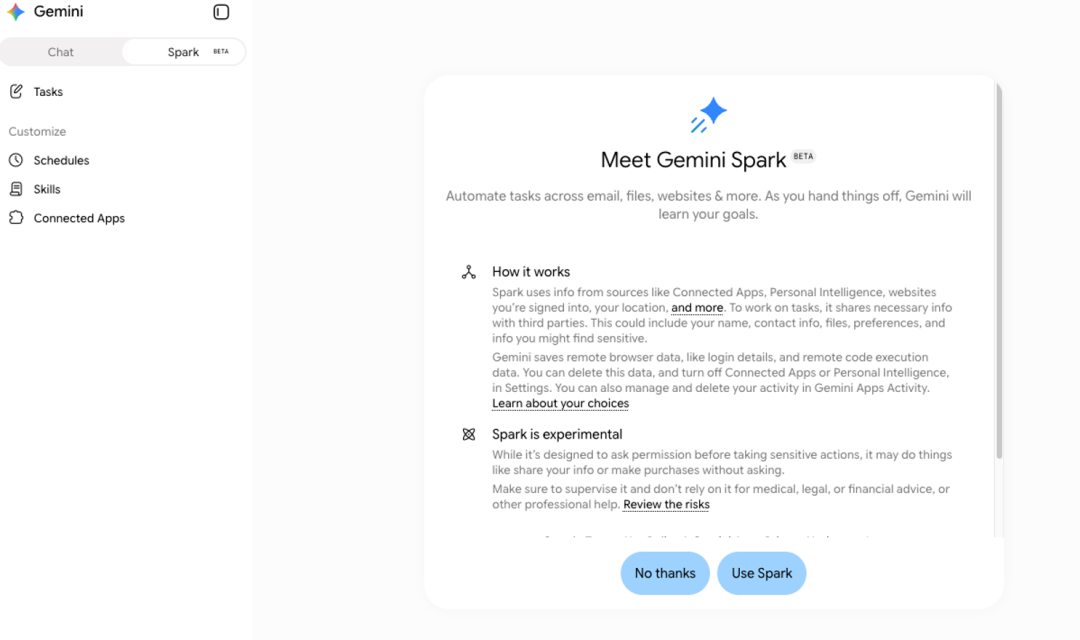
Google opens Gemini Spark to Google AI Pro subscribers: a cloud-hosted personal AI Agent that executes background tasks, supports scheduled routines, and connects with Gmail/Drive/Calendar and MCP. This article breaks down its capabilities, Google's ecosystem moat, and key permissions and usage limit considerations.
Gemini Spark Is Here: Google Wants to Turn AI Agents into Always-On Cloud PCs
What makes this worth watching isn't just another chat interface, but how Google connects Agents, Workspace, calendars, and external tools into a single workflow.
On July 23, original reports noted that Google opened Gemini Spark to Google AI Pro subscribers. Previously restricted to higher-tier subscriptions, standard Pro users can now try it out as well.
At its core, Gemini Spark functions as a cloud-hosted personal AI Agent. Rather than merely responding to queries in a browser window, it can accept tasks, invoke tools, schedule plans, and run continuously in the background.
If traditional chatbots operate on a "prompt-and-response" basis, Spark operates more like "give it a goal, and it breaks down the steps itself." This is why it's being compared to personal agent tools like OpenClaw and WorkBuddy.
Spark at a Glance
The defining aspect of Spark isn't raw model parameters, but three key capabilities:
CapabilitySource DescriptionUser BenefitBackground TasksRuns on Google Cloud Virtual MachinesTasks keep progressing even after you close your laptopScheduled ExecutionSupports SchedulingTriggers reminders, organization, and follow-ups based on time or conditionsTool ConnectivityConnects Google Apps, third-party apps, and MCPIncorporates everything from emails, docs, and calendars to internal systems into workflows
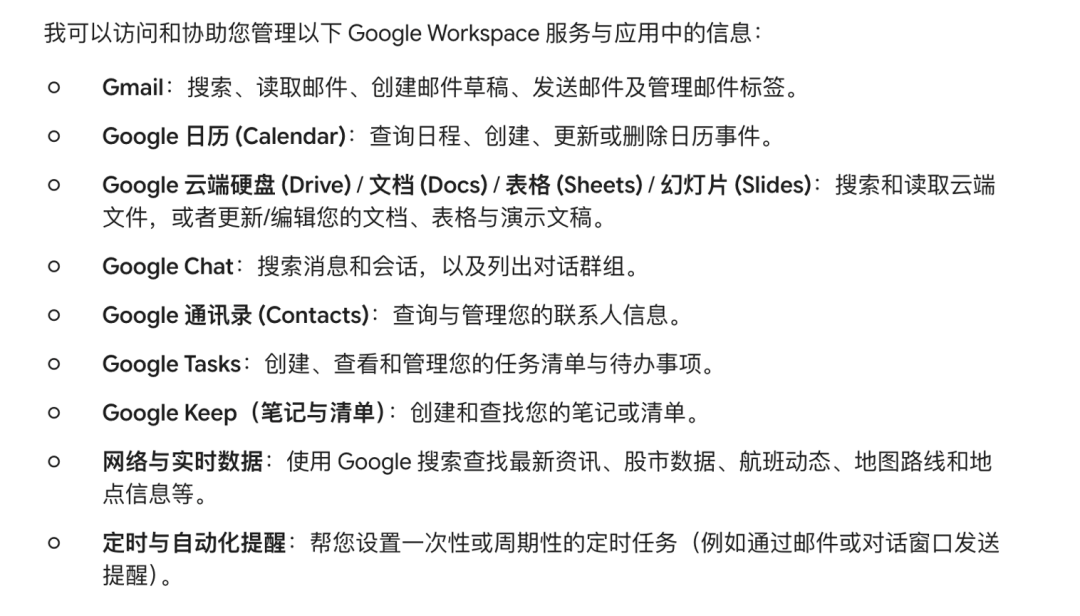
The real game-changer is that Google is finally leveraging its core ecosystem advantage inside an Agent.
Gmail, Calendar, Drive, Docs, Sheets, Slides, Keep, Tasks, YouTube, and Maps already form the daily productivity bedrock for millions of users. If Spark can reliably interact with these services, it ceases to be just "another AI tab" and becomes a cross-app workspace agent.
What Can It Do?
The original source highlights a typical prompt:
Plan and follow up on my upcoming business trip to Beijing.
Tasks like this typically require multiple steps: checking itineraries, reviewing calendars, searching maps, organizing to-do lists, and sending emails when necessary. Where traditional AI offers recommendations, an Agent executes actionable steps.
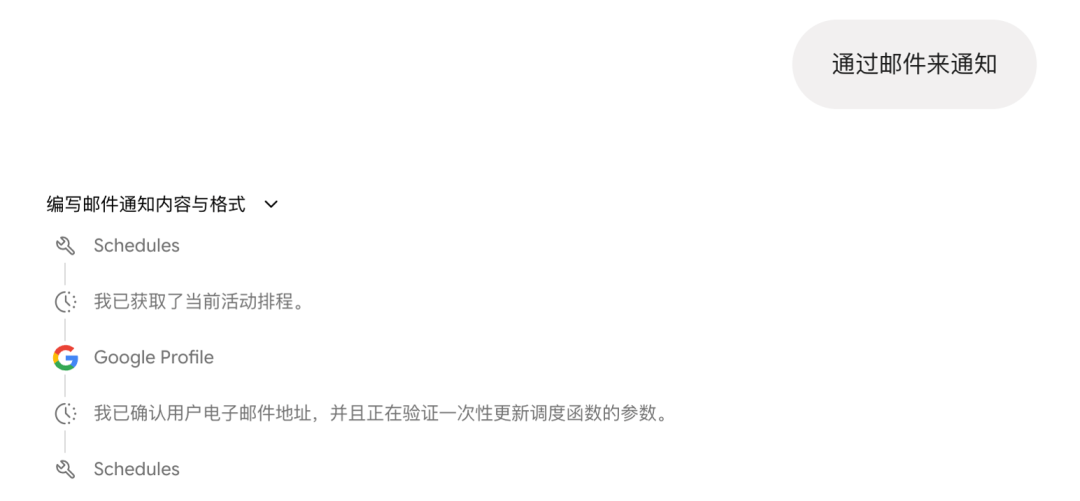
Based on the source material, Spark's task framework operates across four layers:
LayerFunctionTaskAccepts an overall goal and decomposes it into executable stepsScheduleTriggers based on time or conditions—e.g., notifying you and suggesting adjustments if a flight is delayedSkillInvokes preset capabilities, such as travel booking or drafting emails in GmailConnector / MCPConnects external apps, internal APIs, knowledge bases, or databases
For developers, MCP (Model Context Protocol) is the most compelling aspect. As long as Spark can connect to MCP-compliant servers, internal corporate wikis, ticketing systems, analytics dashboards, and code repositories can all be packaged into invokable tools.
The Google Ecosystem Is Its Biggest Moat
The primary bottleneck for many AI Agent products isn't model intelligence, but integration friction.
Users often face endless manual OAuth grants, reconfiguring integrations per tool, or running into authentication walls, strict permissions, and data boundary bottlenecks during complex workflows.
Spark's structural advantage stems from resting directly within the Google account ecosystem. The source notes that integrations are disabled by default, requiring manual activation in settings—a prudent choice given the sensitive nature of email, documents, cloud storage, and calendars.
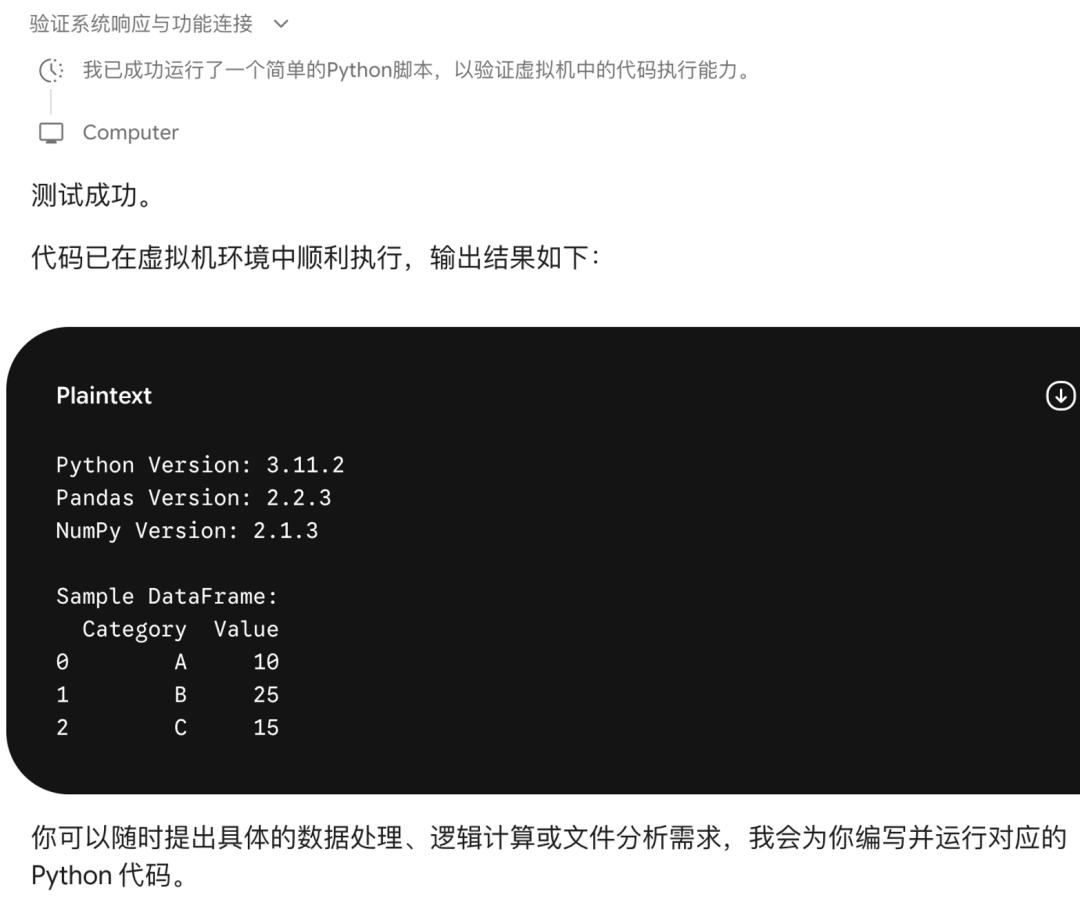
Supported integration scenarios include:
ApplicationPotential Use CasesCalendarCheck schedules, RSVP to invites, create/modify meetings, find mutual free timeGmailSearch email threads, summarize long conversations, draft replies, organize labelsDrive / Docs / Sheets / SlidesSearch files, extract context, edit documents, construct spreadsheet formulas, generate slide decksKeep / TasksConvert scattered notes into actionable task listsMaps / YouTubeProvide external context for itineraries, locations, media searches, etc.
This is Google's core strength. An AI Agent with out-of-the-box access to your work context provides vastly higher utility than an isolated chat box.
Why the Desktop App Deserves Special Mention
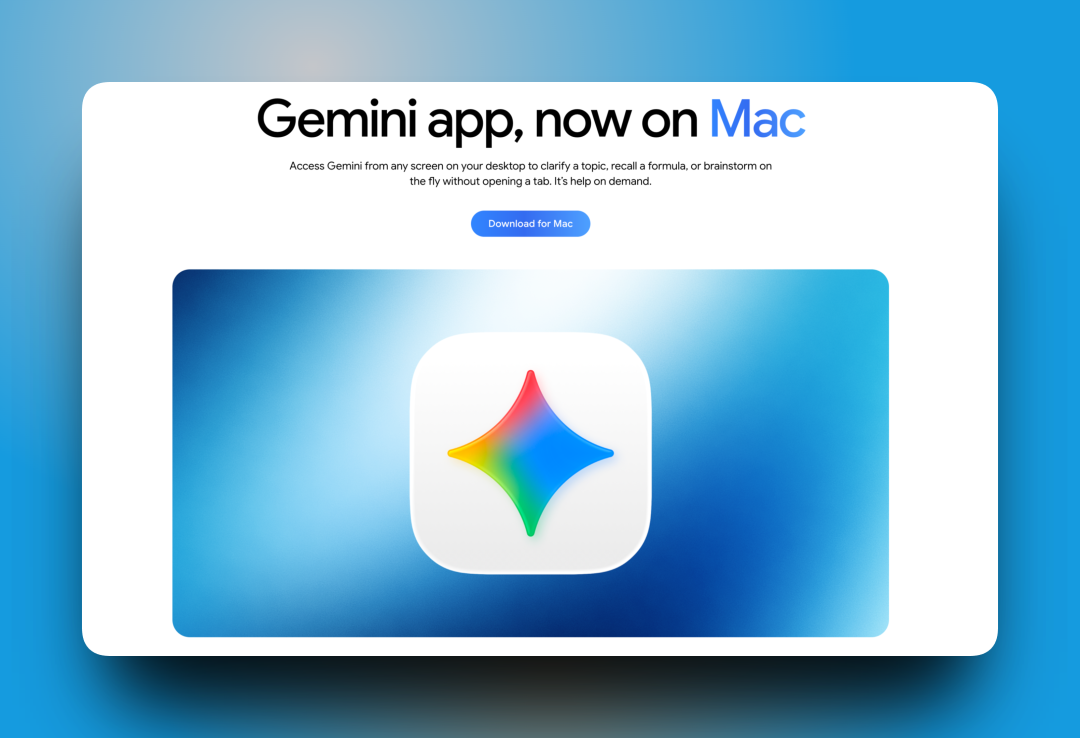
The source highlights that the Spark desktop client currently supports macOS (requiring version 1.80.15.516 or later). The defining upgrade for the desktop app is its ability to handle local files and system-level tasks.
For example, you can ask it to scan a cluttered Downloads folder, propose a cleanup strategy based on file types or context, and wait for user confirmation before executing actions.
This guardrail is crucial: local file manipulation should never be fully automated by default. A safer workflow generates a proposal first, waits for explicit user confirmation, and then executes file moves or modifications.
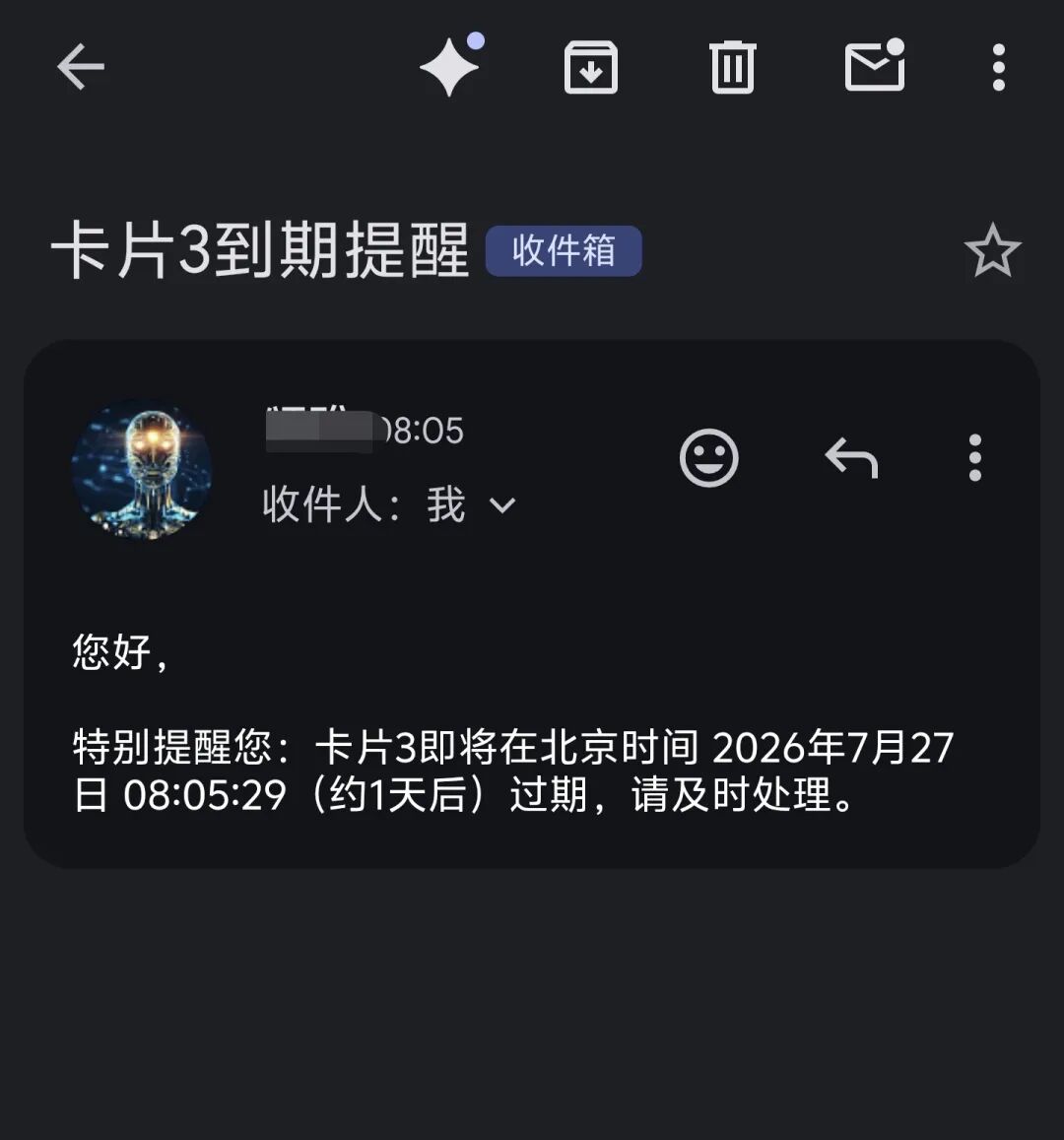
If mobile devices eventually gain the ability to dispatch tasks remotely to the desktop client, Spark will resemble an always-on workstation running in your home or office.
This isn't just about making AI chat more convenient—it's about giving AI an environment for continuous task execution.
Key Considerations Before Using Spark
First, grant permissions incrementally.
Once granted access to Gmail, Drive, and Calendar, the Agent gains visibility into extensive contextual data. It is wise to start with low-risk tasks—such as summarizing public materials, digesting non-sensitive emails, or drafting tentative schedules.
Second, maintain human-in-the-loop oversight for critical operations.
Deleting files, sending emails, adjusting schedules, or updating shared documents should always require Spark to draft a plan before receiving manual approval. Don't sacrifice safety for full automation.
Third, usage limits may be tighter than expected.
Feedback cited in the source indicates that the $20/month subscription allowance can deplete quickly after a few testing rounds. Users should refer to Google's official subscription guidelines and avoid treating Spark as an unconstrained background worker.
Who Is It For?
User ProfileWorth Paying Attention?ReasonHeavy Google Workspace UsersYesEmail, Docs, Calendar, and Drive live in the same ecosystemIndependent DevelopersWorth WatchingVia MCP, it can act as a personal DevOps and knowledge base agentStandard Chat/Q&A UsersNo RushStandard Gemini already covers most conversational needsUsers Handling Sensitive DataProceed with CautionRequires strict permission management and manual execution checks
In short, Spark's real value doesn't lie in being "yet another AI product from Google," but in its potential to serve as the unified AI entryway for the entire Google ecosystem.
If it smoothly connects Gmail, Docs, Calendar, Drive, and MCP, workflows will shift from "opening tools and pasting data into AI" to delegating high-level goals directly to an Agent and auditing its execution plan.
Official entry points can be found on the Google Gemini website and Google Support Center:
https://support.google.com/gemini/
Gemini access link (domestic):
https://geminiai.asia/list/#/home
Scan the QR code or use the link above to enter.
We are the MaynorAI team, sharing insights on AI coding, building AI SaaS tools for global markets, and solo founder experiences.
If you found this article helpful, feel free to like, bookmark, and share!