I Built a Website Curating Prompts for Major AI Image Models
A website curating prompts for top AI image models like GPT Image 2, Seedream 5 Pro, Seedance 2.0, Grok Imagine, and Gemini 3 Pro, featuring a prompt generator to help users find, copy, modify, and generate image prompts.
I Built a Website Curating Prompts for Major AI Image Models
Source: https://blog.csdn.net/xianyu120/article/details/162610114
I Built a Website Curating Prompts for Major AI Image Models
Summary:
I built a website curating prompts for major AI image models. It collects image prompt examples for models like GPT Image 2, Seedream 5 Pro, Seedance 2.0, Grok Imagine, and Gemini 3 Pro, and includes a built-in prompt generator. If you don't know how to write AI image prompts, you can start here by searching, copying, tweaking, and generating.
Links:
https://image-prompt-generator.com/
GitHub Open Source:
https://github.com/xianyu110/image-prompt-generator
Summary:
I built a website curating prompts for major AI image models. It collects image prompt examples for models like GPT Image 2, Seedream 5 Pro, Seedance 2.0, Grok Imagine, and Gemini 3 Pro, and includes a built-in prompt generator. If you don't know how to write AI image prompts, you can start here by searching, copying, tweaking, and generating.
Links:
https://image-prompt-generator.com/
GitHub Open Source:
https://github.com/xianyu110/image-prompt-generator
Hi everyone, I'm Maynor, and I built a website.
To put it simply in one sentence:
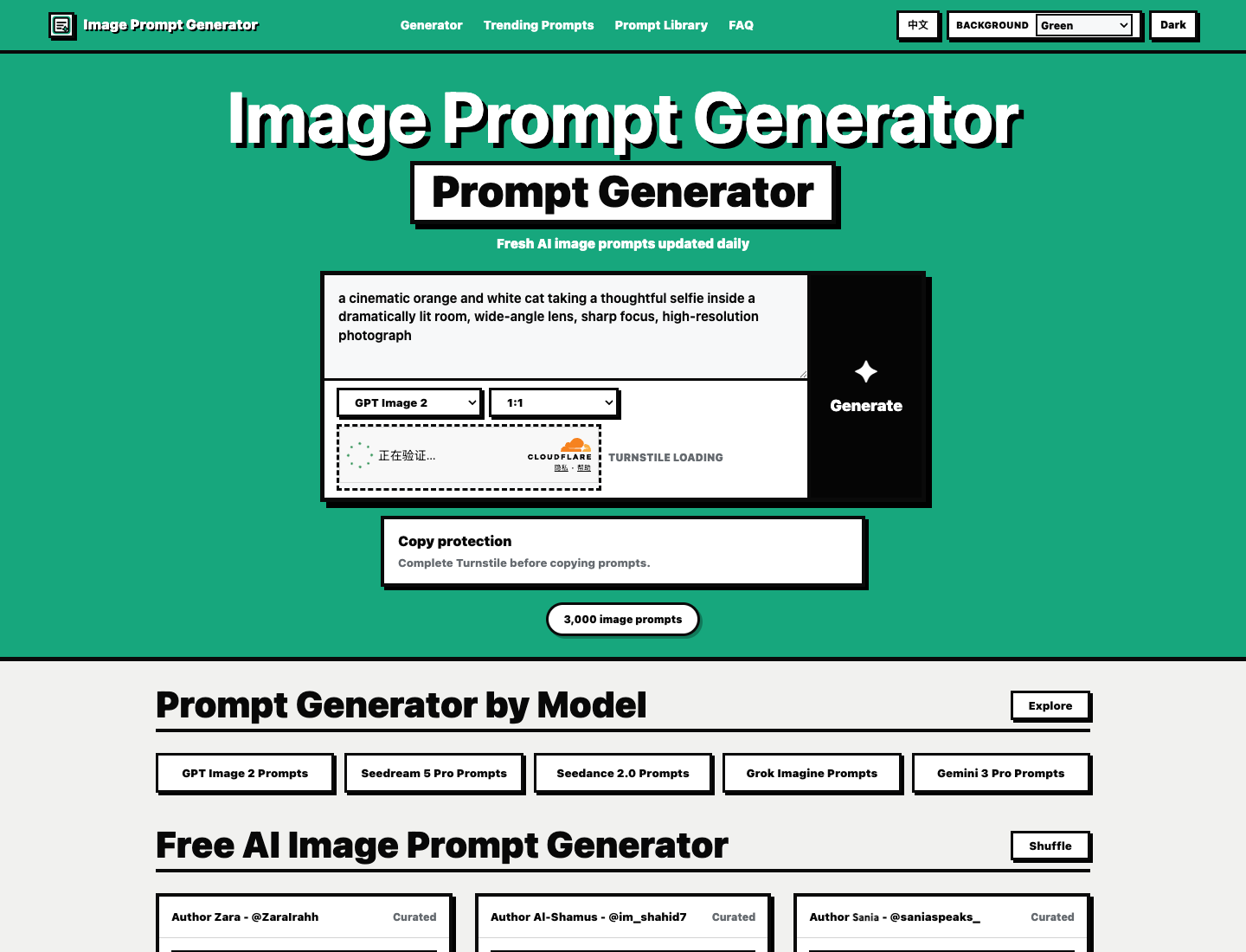
This is a website that curates prompts for major AI image models.
It collects image prompt examples for models like GPT Image 2, Seedream 5 Pro, Seedance 2.0, Grok Imagine, and Gemini 3 Pro.
You can browse prompts by model, or directly search, filter, and copy examples.
If you don't know how to write one, you can use the prompt generator at the top. Just input the visual concept you want to generate and select a model, and it will generate an English image prompt tailored specifically for that model.
Why build this?
Because there are simply too many AI image models right now.
But the real problem isn't a "lack of models to use."
The real problem is:
The models exist, but people don't know how to write prompts.
When many people open an AI image tool, their first input is often:
"Help me generate a beautiful image."
And out comes a very average image.
It's not that the model is bad.
It's that you haven't translated the picture in your head into a prompt the model can understand.
For example, what you might actually want is:
A product poster.
A realistic portrait.
An e-commerce scene image.
A video keyframe.
A cover image for an article.
All of these are AI images, but the way you write their prompts is completely different.
So I wanted to build a place to consolidate image prompts across major models.
When you need one, you can find it directly.
When you don't know how to write one, you can generate a draft first.
Which models are currently included?
I started by organizing these common models:
| Model | Best For |
|---|---|
| GPT Image 2 | General images, product shots, scene graphics, poster concepts |
| Seedream 5 Pro | Chinese context, realistic images, commercial visuals |
| Seedance 2.0 | Image and video creative prompts, keyframe expression |
| Grok Imagine | Stylized, creative visuals for social media sharing |
| Gemini 3 Pro | Multimodal understanding, structured visual instructions |
Why organize by model?
Because different models respond better to different prompt styles.
Some models prefer natural language.
Some models lean heavily on structured descriptions.
Some require emphasizing camera angles, lighting, and composition.
Some excel at posters, product shots, and commercial graphics.
And others are better suited for video keyframes, requiring motion and camera movement cues in the prompt.
If you feed the exact same prompt to every model, you'll still get images.
But the results won't always be consistent.
How do you use this website?
It's very simple.
First way to use it:
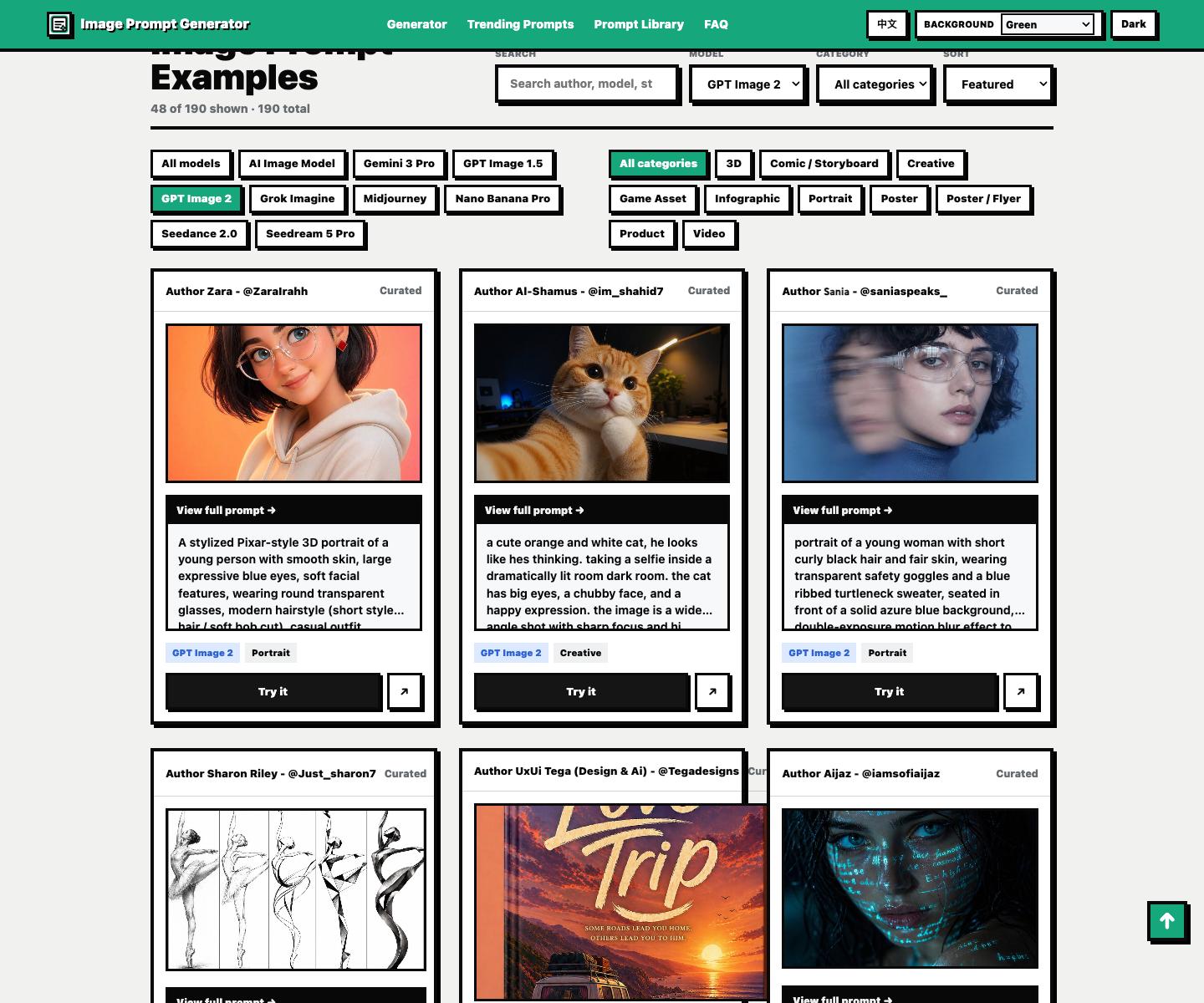
Find examples directly.
For example, if you want portrait prompts for GPT Image 2, filter by GPT Image 2 and Portrait.
If you want product shots, filter by Product.
If you want posters, filter by Poster.
Second way to use it:
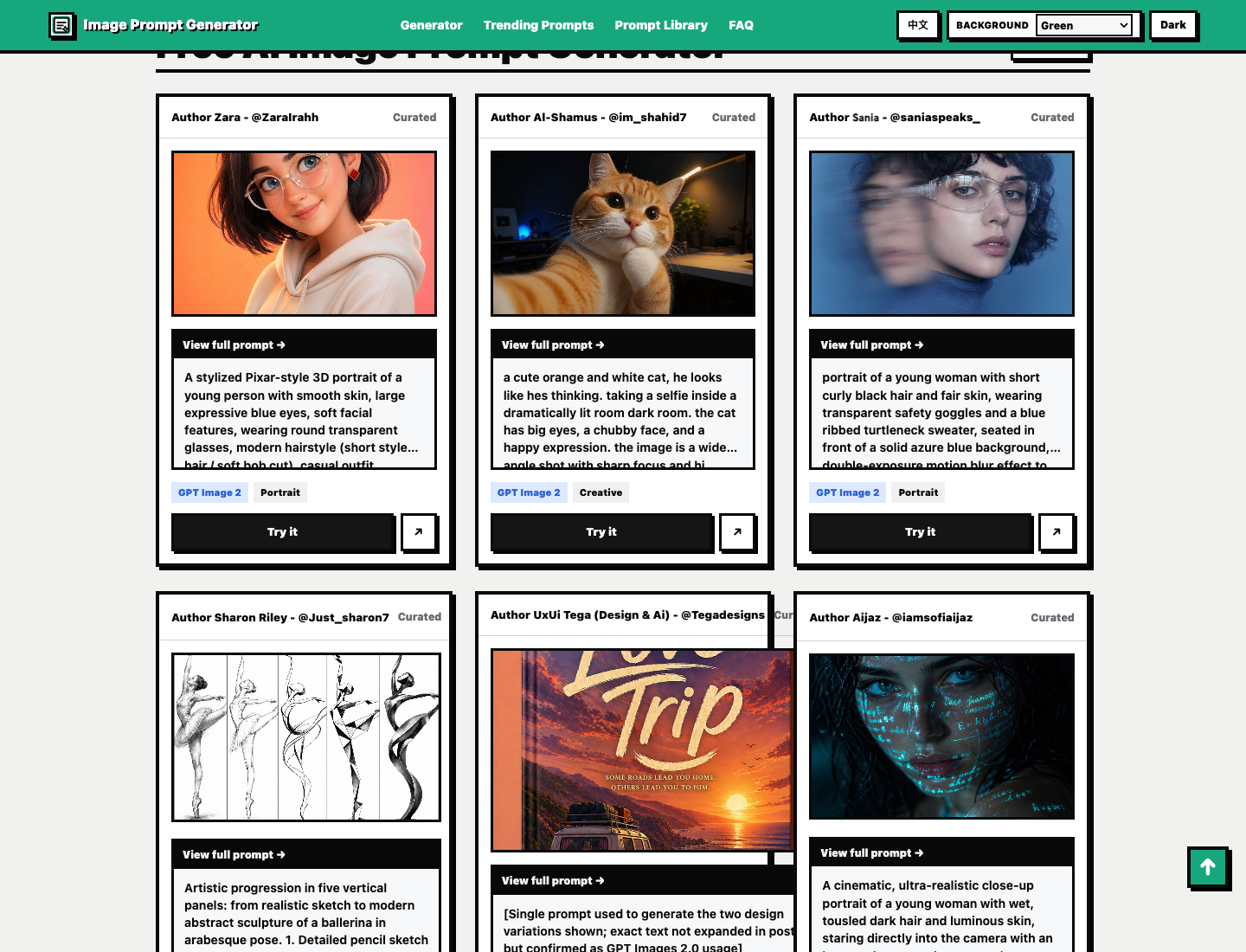
Learn prompts from images.
Every card includes an image preview, author attribution, model tags, and the full prompt.
You're not just looking at a block of text—you can see what final output that prompt actually produced.
Third way to use it:
Draft one using the generator first.
Input the visual concept you want to generate.
Select the model.
Select the aspect ratio.
Then generate an English prompt.
Who is this step for?
It's for people who have a clear picture in mind but don't know how to write that first sentence.
Why keep author information?
Because many of these prompt examples have original creators.
I didn't want to make this an "unattributed scraper site."
So cards retain author names, sources, and model information whenever possible.
This way, when you see an image, you're not just copying a prompt—you also know where it came from.
This helps with learning, too.
Because you can follow the creator to discover more of their work.
A good prompt example is more than just words.
Behind it, there's usually a consistent aesthetic taste, composition technique, and style of expression.
Why build dedicated model topic pages?
Because cramming everything onto a homepage gets chaotic.
So I broke different models out into dedicated topic pages.
For instance, the GPT Image 2 Prompts page specifically focuses on prompts and writing tips relevant to GPT Image 2.
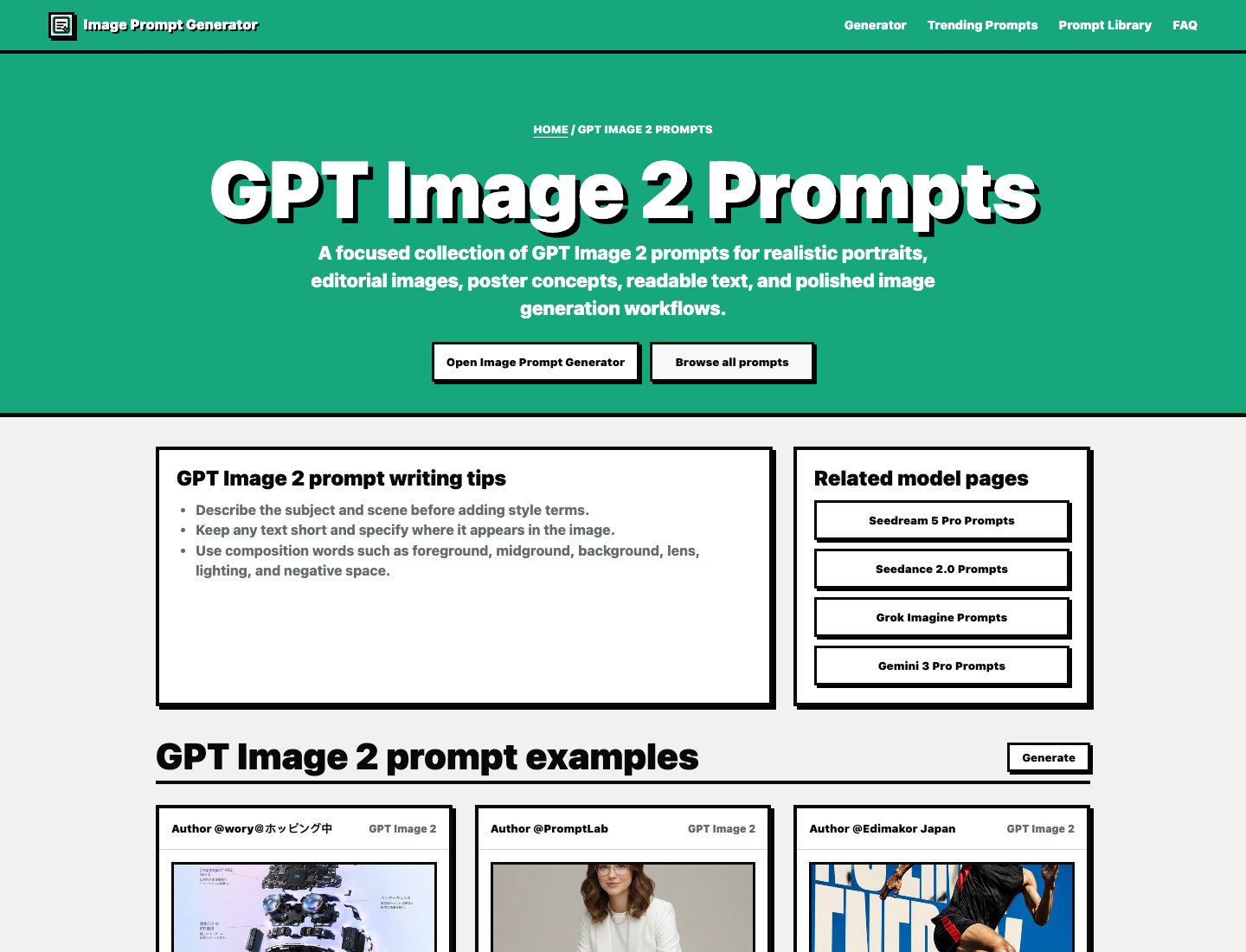
You can browse Seedream, Seedance, Grok, and Gemini using the same approach.
That way, you don't have to sift through all examples every time.
Whichever model you're using, you go straight to that model's page.
It's also much clearer for search engines.
When users search for GPT Image 2 prompts, they should see a dedicated GPT Image 2 page.
When users search for Seedream prompts, they should see a Seedream page.
This makes much more sense than dumping everything on the homepage.
It's not a complicated tool
I didn't overcomplicate this site.
I wanted it to feel more like a workbench:
| What you want to do | How to do it on the site |
|---|---|
| Don't know how to write a prompt | Use the prompt generator |
| Looking for examples for a specific model | Filter by model |
| Want to preview the image output | View prompt cards |
| Want to learn writing techniques | Expand full prompt |
| Need long-term reference | Use search and categories |
That's the exact experience I aimed for.
Instead of overwhelming you with complex buttons right away,
the moment you open it, you know how to find what you need.
Who is it for?
I think it's mainly suited for these groups:
| Audience | Use Case |
|---|---|
| Beginners in AI image generation | Copy from examples first, then tweak gradually |
| Content creators / Media authors | Find prompts for cover art, article visuals, posters |
| E-commerce operators | Find prompts for product shots, scenes, commercial visuals |
| Designers | Find style and composition references |
| Indie developers | Generate visual images for websites, products, articles |
| Video creators | Find keyframe prompts using models like Seedance |
If you're already great at writing prompts, you can use this site as an example library.
If you don't know how to write prompts at all, it serves as an entry tool.
If you just need to generate an image occasionally, it saves you time from endless trial and error.
My goal in making this site
To put it plainly, I wanted to solve a very real problem:
AI image models are getting stronger, but many people are still stuck in front of the prompt box.
It's not that they don't know how to click buttons.
It's not that they don't know how to upload images.
They simply don't know how to describe what they want.
So I consolidated prompts across major models into one place.
Allowing you to search.
Filter.
Preview images.
Copy.
Or generate directly.
That is Image Prompt Generator.
A website curating prompts for major AI image models.
If you ever find yourself stuck writing an AI image prompt in the future, feel free to stop by and browse.
Link:
https://image-prompt-generator.com/
GitHub Open Source: